API Keys
This guide explains how to find, regenerate, and use API keys for programmatic access to Sauce Labs Mobile App Distribution.
Overview
An API key is a unique identifier used to authenticate API requests to Sauce Labs Mobile App Distribution. Your API key is not your account password - it's a separate credential specifically for API access.
API keys are used with:
- REST API - HTTP Basic Authentication
- Upload API - Form parameter authentication
Finding Your API Key
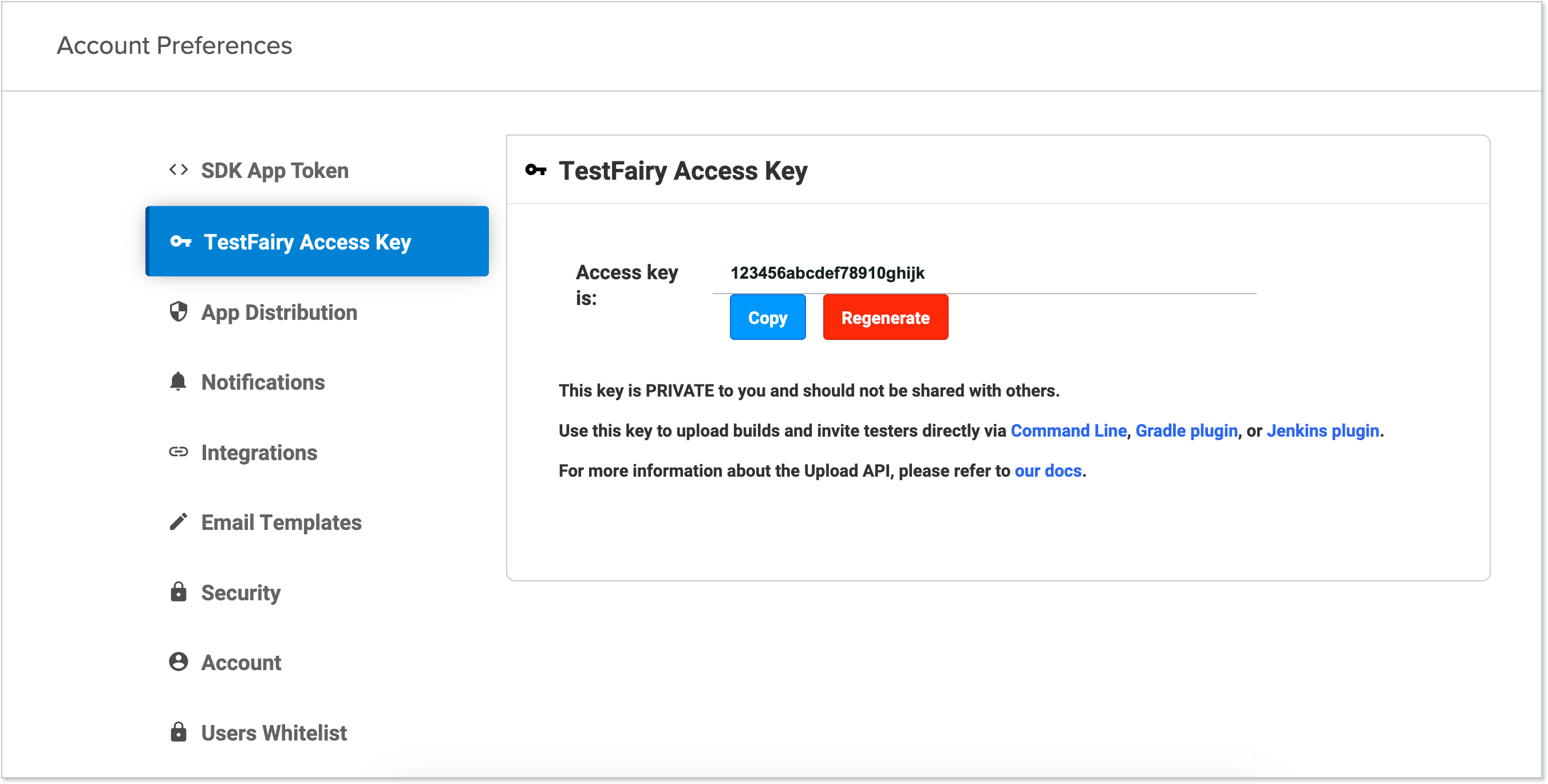
To find your API key:
- Log in to your Sauce Labs Mobile App Distribution account.
- Navigate to Account > Settings.
- Locate the Access Key section.
- Copy your username and API key.
Regenerating Your API Key
To regenerate your API key:
- Navigate to Account > Settings.
- Click Regenerate in the Access Key section.
warning
When you regenerate your API key, the old key is immediately invalidated. Update all integrations with the new key before they fail.
Using API Keys
REST API (HTTP Basic Auth)
The REST API uses HTTP Basic Authentication with your email address and API key:
curl -u "email:api-key" "https://mobile.saucelabs.com/api/1/projects/"
Where:
- Username: Your email address
- Password: Your API key (not your account password)
Upload API (Form Parameter)
The Upload API uses the API key as a form parameter:
curl https://app.testfairy.com/api/upload -F api_key='your_api_key' -F file=@app.apk
Security Best Practices
| Practice | Description |
|---|---|
| Keep API keys private | Never share your API key or post it on public code repositories or forums. |
| Use environment variables | Store API keys in environment variables or secrets management solutions, not in code. |
| Use service accounts for automation | Create dedicated service accounts for CI/CD pipelines instead of using personal credentials. |
| Rotate keys periodically | Regenerate API keys on a regular schedule or after any potential exposure. |
| Use different keys per environment | Create separate service accounts for development, staging, and production. |
| Monitor API usage | Review audit logs regularly to detect unusual activity. |
| Limit key exposure | Only share API keys with systems that need them. |
See Also
- Service Accounts - Creating dedicated accounts for automation
- OIDC Authentication - Token-based authentication alternative
- REST API Reference - Complete REST API documentation
- Upload API - Build upload automation