Explore Error Reporting Data Using Sauce AI
The Ask option provides a faster way to explore Error Reporting data using natural language. Instead of manually configuring filters and attributes, you can describe the information you want to investigate and Sauce AI will automatically generate the appropriate view.
Step 1: Click Ask in the top navigation bar, then enter a question or describe the information you want to analyze using natural language.
For example:
"Show me the most common crashes in the last 7 days."
"Find Android crashes introduced in the latest release."
"Which errors are affecting the most users?"
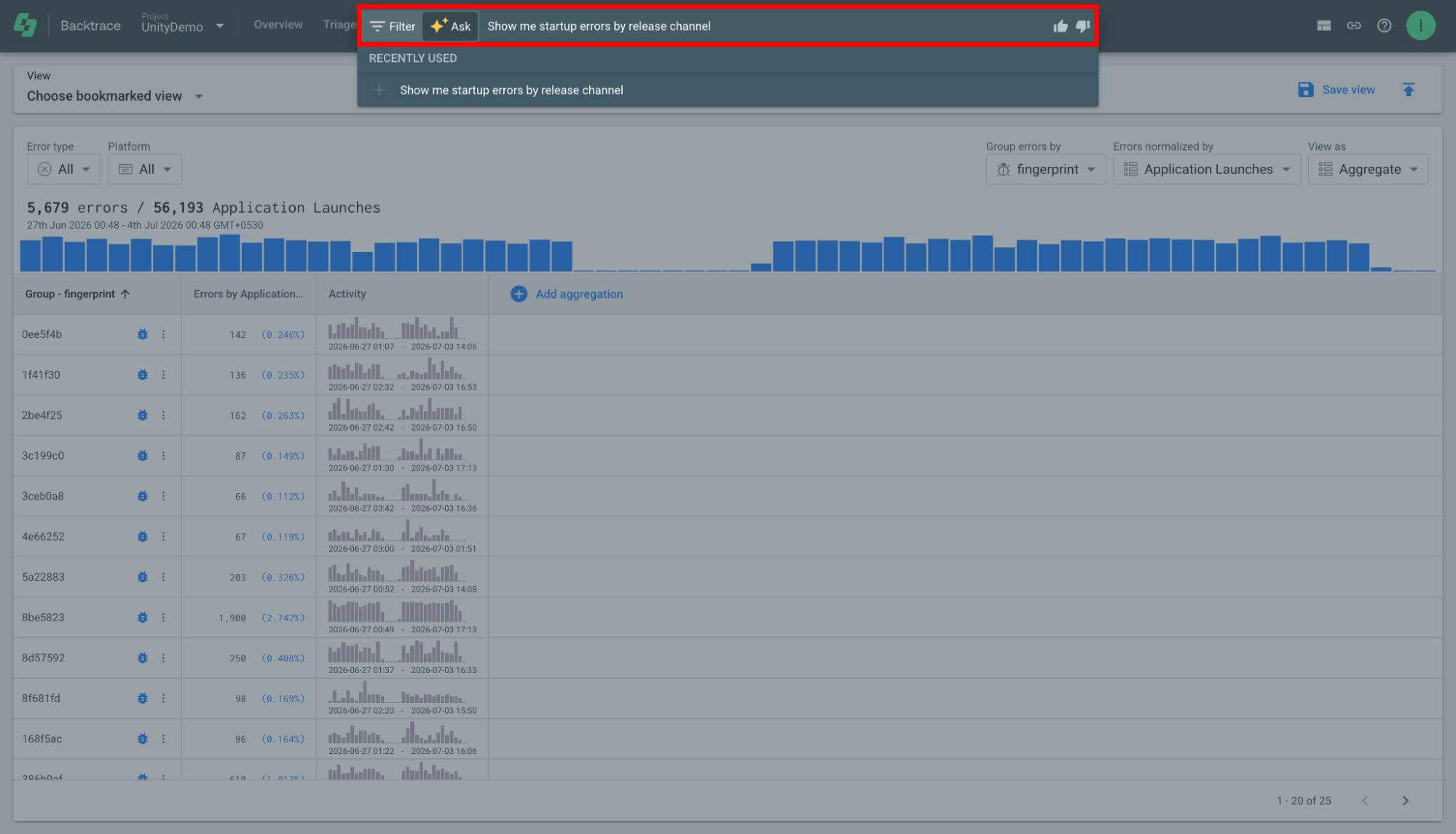
Step 2: Submit the query. Sauce AI interprets your request and automatically applies the appropriate filters, adjusts the timeline when necessary, and groups related error data in the Explore view.
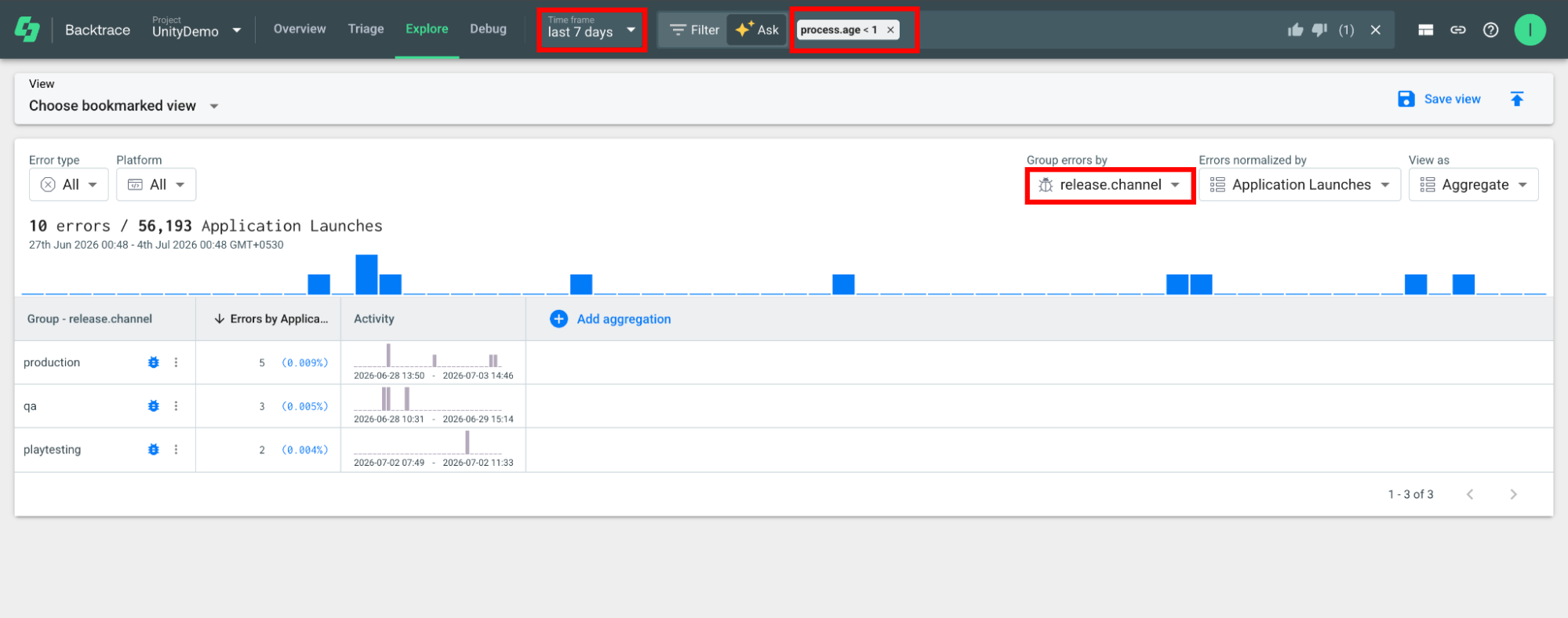
Review the generated results. If needed, refine your investigation by modifying the query or manually adjusting the generated filters.