Sauce AI for Error Reporting
Error Reporting helps you monitor, investigate, and understand application crashes and errors so you can quickly identify issues affecting your users and improve application stability.
The first AI capability available in Error Reporting is Natural Language Query, which allows you to ask questions in plain language and automatically generates the appropriate filters and data view to help you investigate errors more efficiently.
Building on these capabilities, Sauce AI for Error Reporting makes it even easier to explore your error data using natural language. Instead of manually applying filters or searching through error reports, you can simply describe what you're looking for, and Sauce AI helps you find the relevant information.
For example, you can ask:
"Show me the most common crashes affecting Android users in the last 7 days."
"Find errors introduced after the latest release."
"Show network-related errors with the highest occurrence count."
Sauce AI interprets your request and automatically:
-
Applies relevant filters.
-
Adjusts the timeframe based on your query.
-
Groups error data intelligently in the Explore view.
This reduces the time spent manually searching through error reports and allows teams to identify issues faster.
Natural Language Query is currently available as a public Beta feature. An administrator must enable the feature before it becomes available to users within the universe.
Prerequisites
Before using Sauce AI in Error Reporting:
-
Your organization must have access to the Natural Language Query public beta.
-
An Organization Administrator must enable the AI capability for your universe.
-
You must have permission to access Error Reporting data within your universe.
Enable Sauce AI
Organization Administrators can enable Sauce AI capabilities for their organization from the AI Features settings. This configuration controls access to Natural Language Query for the selected universe and makes the feature available to users who have the required permissions.
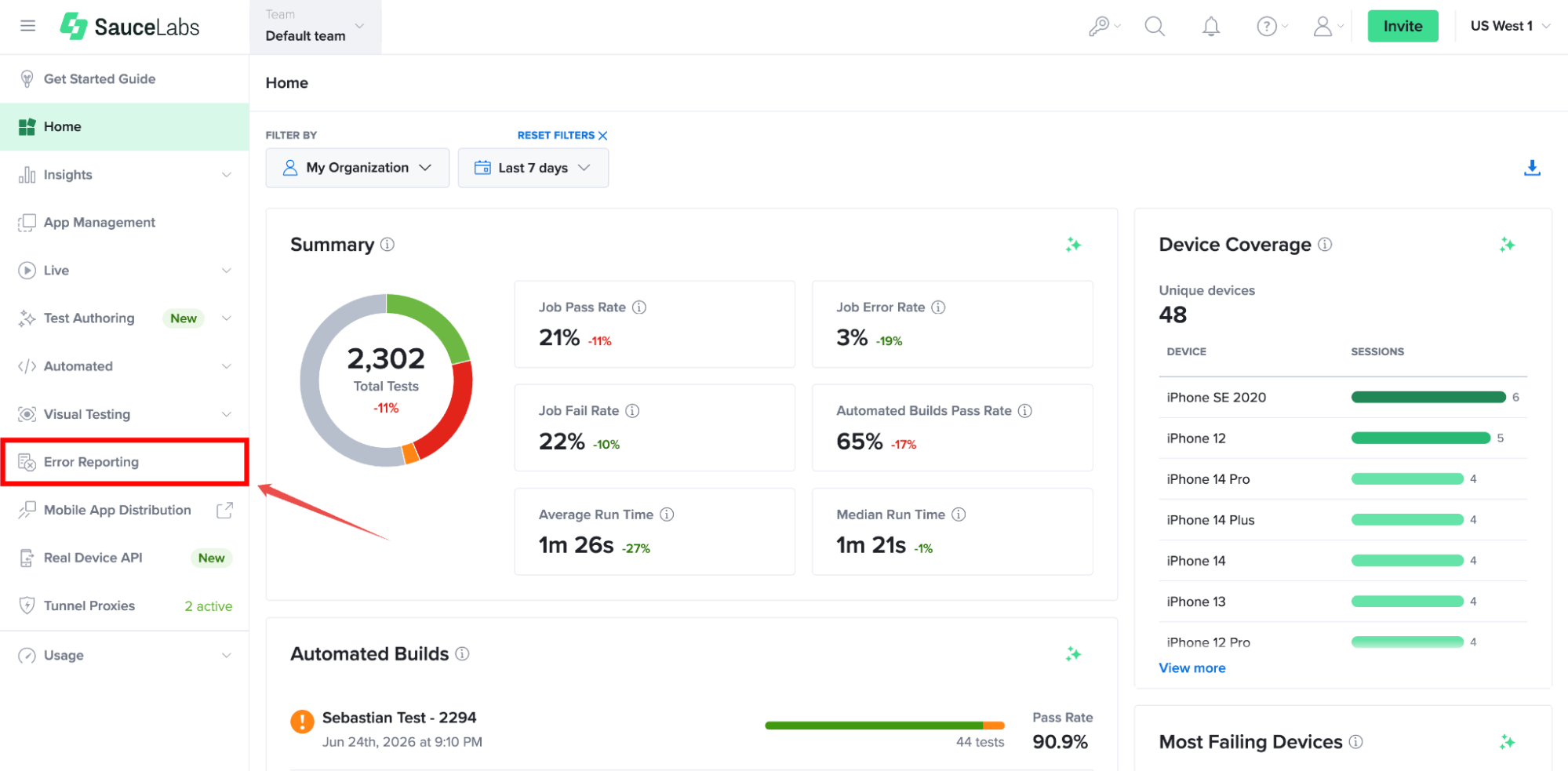
Step 1: Inside your Sauce Labs account, find Error Reporting from the left-hand navigation menu, open the universe where you want to enable Sauce AI, and navigate to its settings.
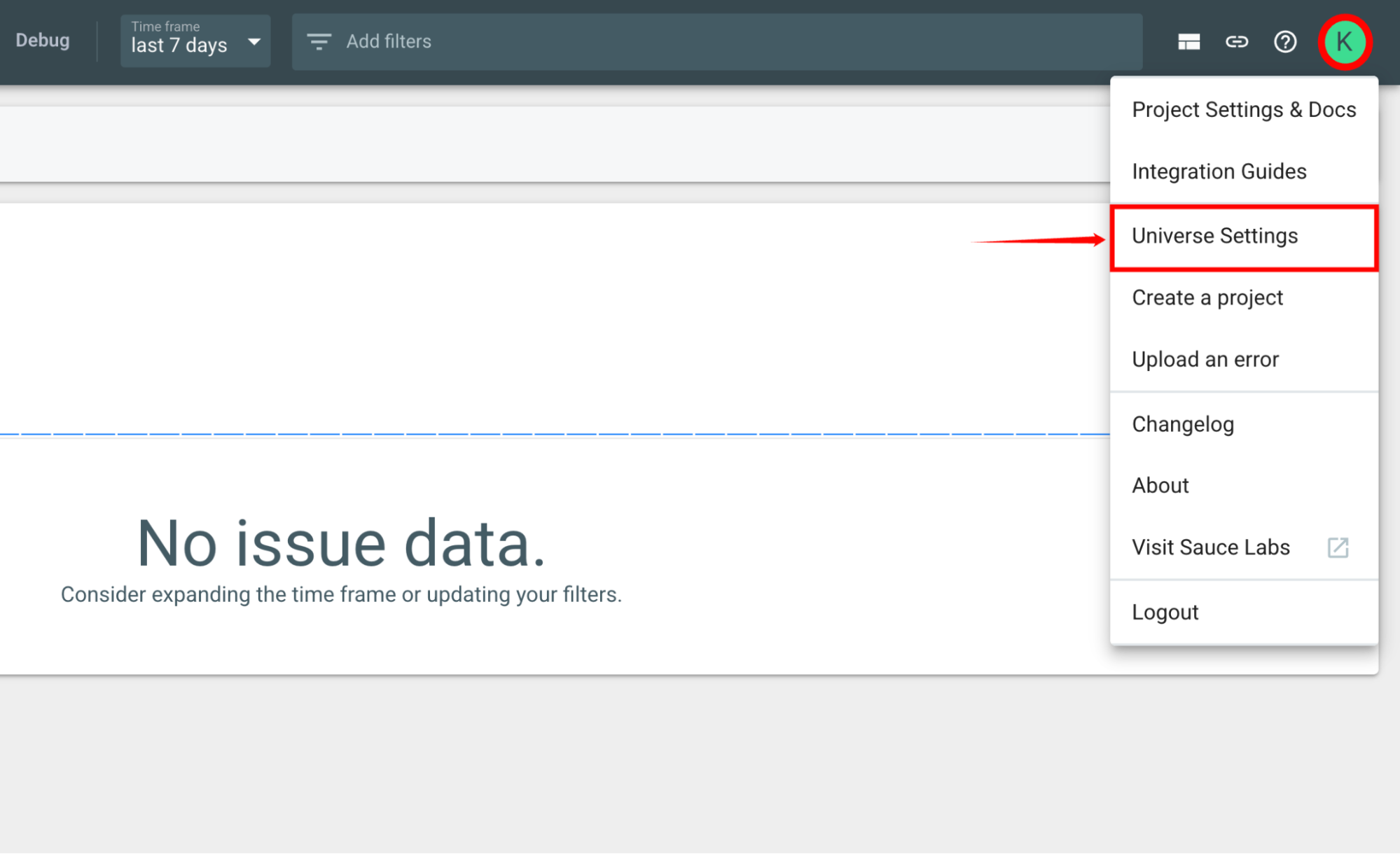
Step 2: In the selected universe, click on your User Profile and select Universe Settings from the dropdown list to view the configuration options for that environment.
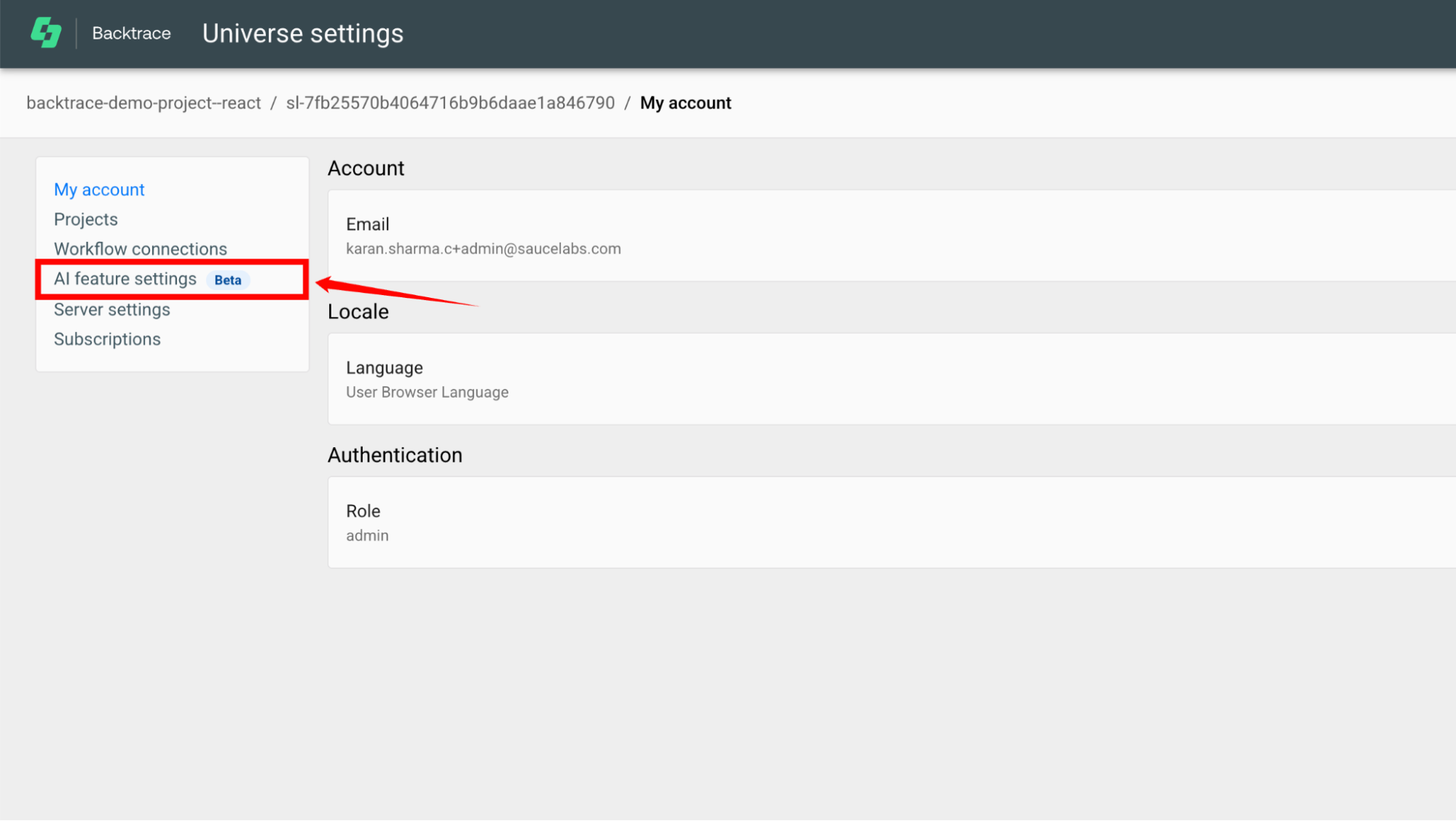
Step 3: Select AI Features from the available settings. This section contains the controls for AI-powered capabilities in Error Reporting.
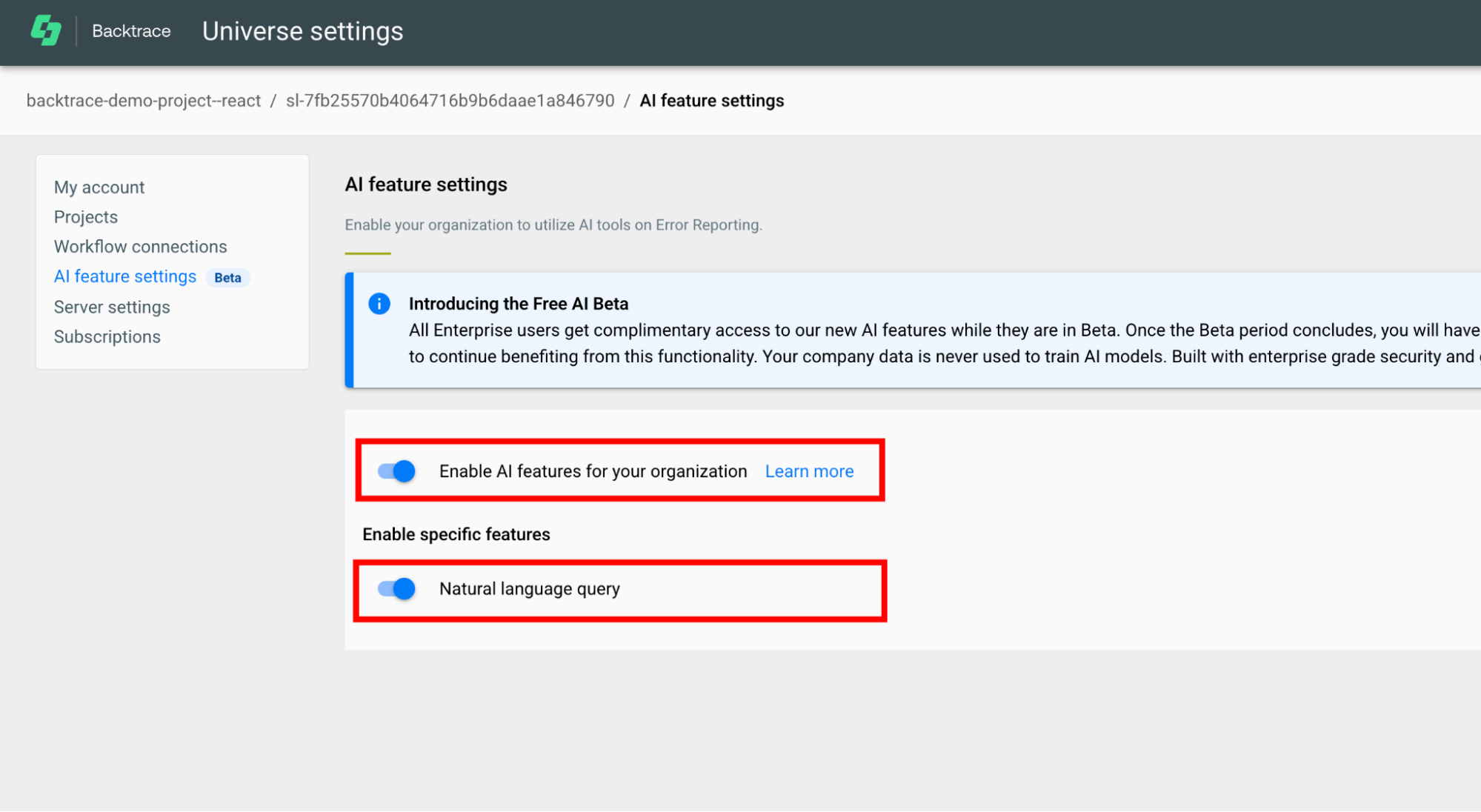
Step 4: Turn on the Enable AI features for your organization toggle, turn on the Natural Language Query toggle to allow AI capabilities within the selected universe.
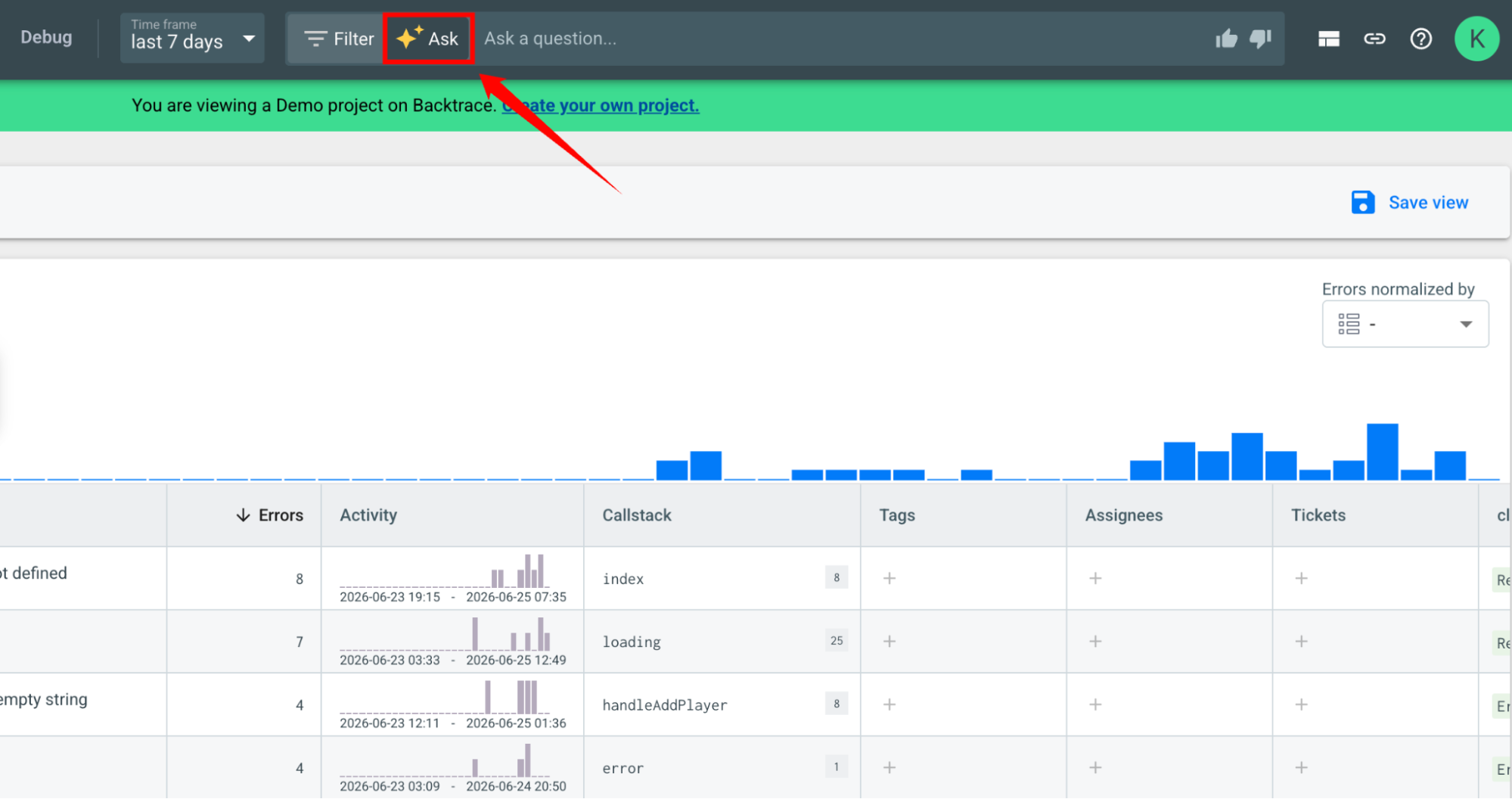
After the feature is enabled, users in the organization can access Sauce AI from anywhere within Error Reporting by clicking the Ask option in the top filter bar.
For information about querying and exploring Error Reporting data using natural language, see Explore Error Reporting Data Using Sauce AI.