Export Your Coverage Report
The Coverage report allows you to export your filtered coverage data as a CSV file. Use the exported report to analyze your testing coverage outside Sauce Labs or share the data with other team members.
The exported file contains the coverage data based on the filters selected in the Coverage report, including the selected environment, owner, and time period.
Export Coverage Data
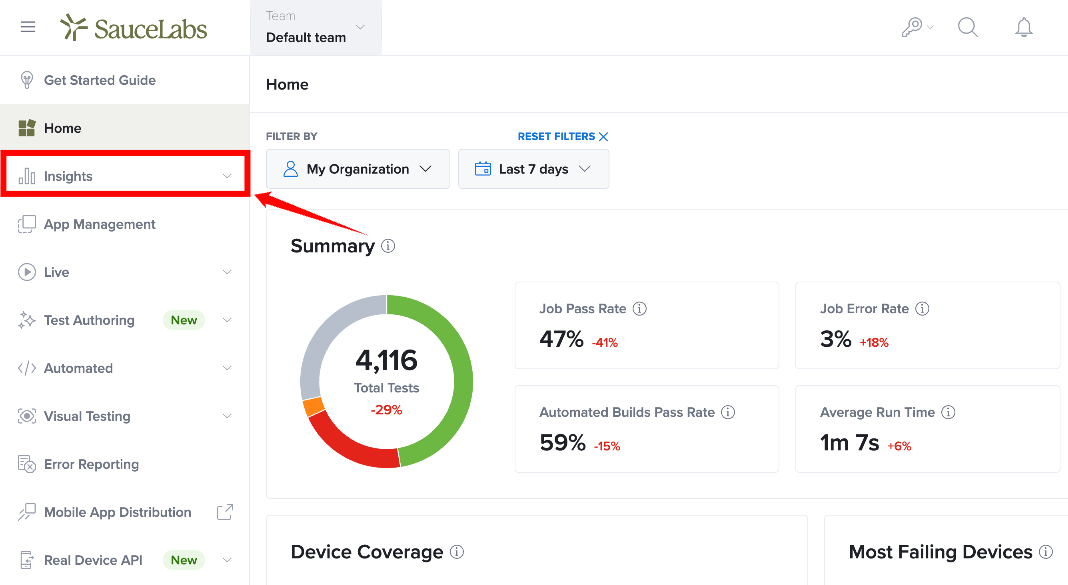
Step 1: Sign in to your Sauce Labs account. From the left-side navigation menu, select Insights to expand the available options.
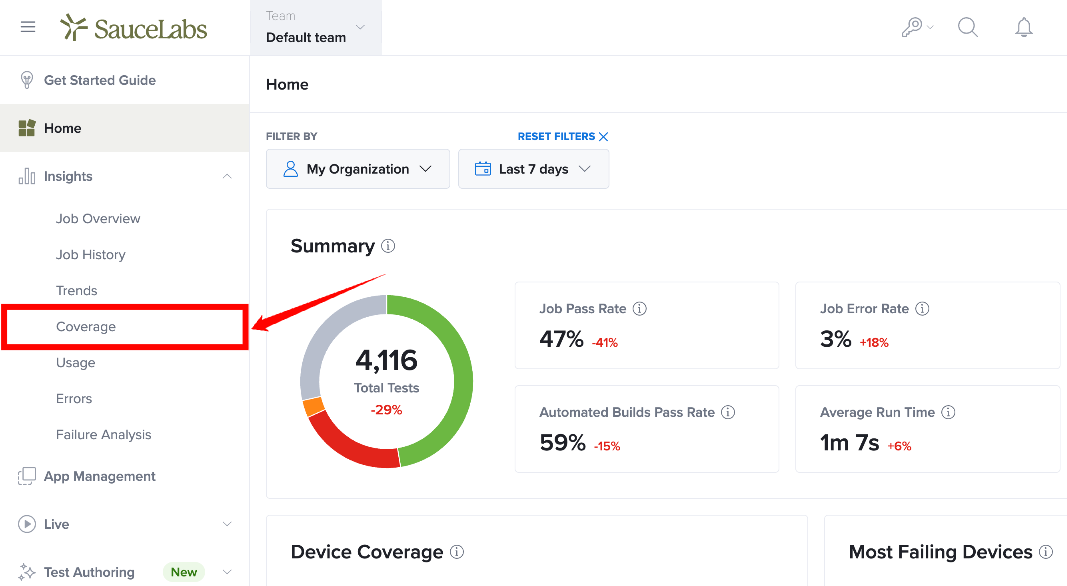
Step 2: From the expanded Insights menu, select Coverage.
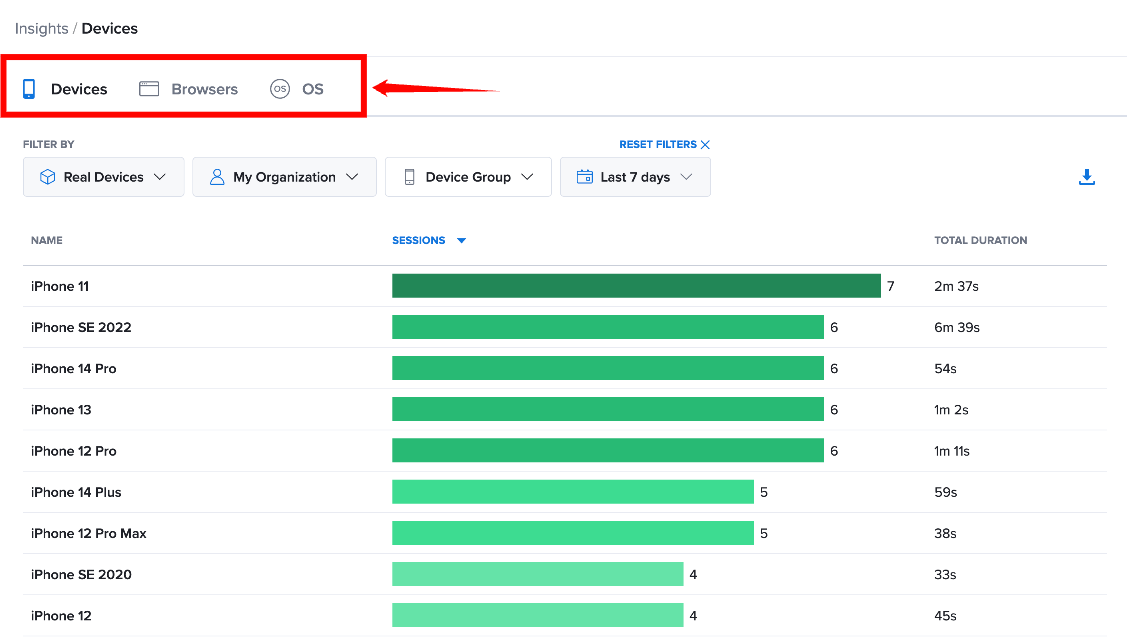
Step 3: Select the coverage type you want to export from the available Devices, Browsers, or OS tabs.
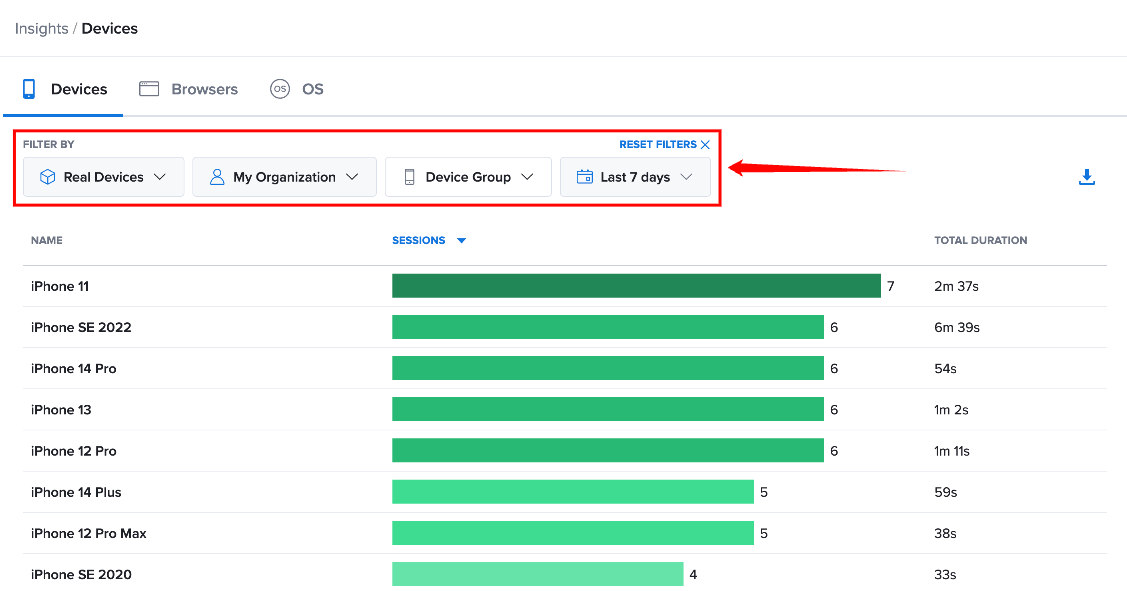
Step 4: Apply the required filters to define the coverage data you want to include in the report. The exported data reflects the selected environment, owner, and time period.
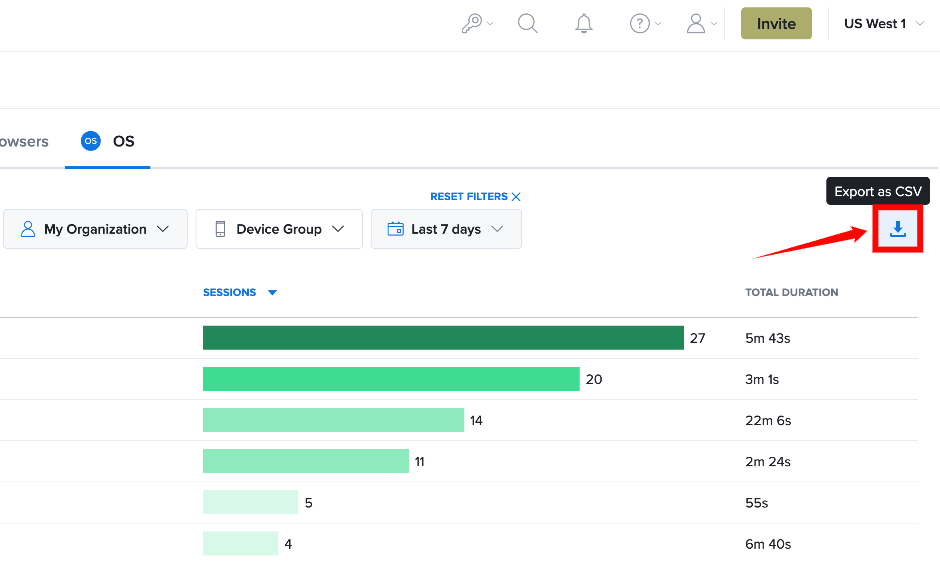
Step 5: Review the filtered coverage data, then click Export as CSV button to download the report as a CSV file. The exported file contains the data based on your selected filters.
Understand the Exported Data
The downloaded CSV file contains the coverage data displayed for the selected criteria. The file includes information about the environment, number of test sessions, and total test duration.
| Field | Description |
|---|---|
| name | Name of the browser, device, or operating system included in the report. |
| sessions | Total number of test sessions run for the environment. |
| total_duration | Total duration of the test sessions run for the environment. |
Example CSV Output
,name,sessions,total_duration
1,iPhone SE (2nd generation) Simulator,6640,149:56:54
2,iPhone XS Max Simulator,6630,163:13:55
3,iPhone XS Simulator,6618,155:56:57
4,Android GoogleAPI Emulator,753,9:49:41
5,iPad Simulator,112,2:00:02
6,Android GoogleApi Emulator,16,0:16:10
7,Samsung Galaxy S8 HD GoogleAPI Emulator,7,0:06:13
8,iPad mini (5th generation) Simulator,6,0:10:38
9,Google Pixel C GoogleAPI Emulator,6,0:06:24
10,iPhone 12 Simulator,2,0:01:48
11,iPad Pro (12.9-inch) (3rd generation),1,0:02:00
12,Pixel3GoogleAPI,1,0:03:07
13,Android Emulator,1,0:22:30
Exported Data and Sorting
The exported CSV includes the data according to the filters applied in the Coverage report. However, the exported file uses the report's default order, regardless of any sorting you apply to the data in the Sauce Labs interface.
For example, if you sort the Coverage report by Name before selecting Export CSV, the downloaded CSV still uses the default data order.
The export reflects your selected coverage filters, but it does not preserve the sorting order applied in the Coverage report.