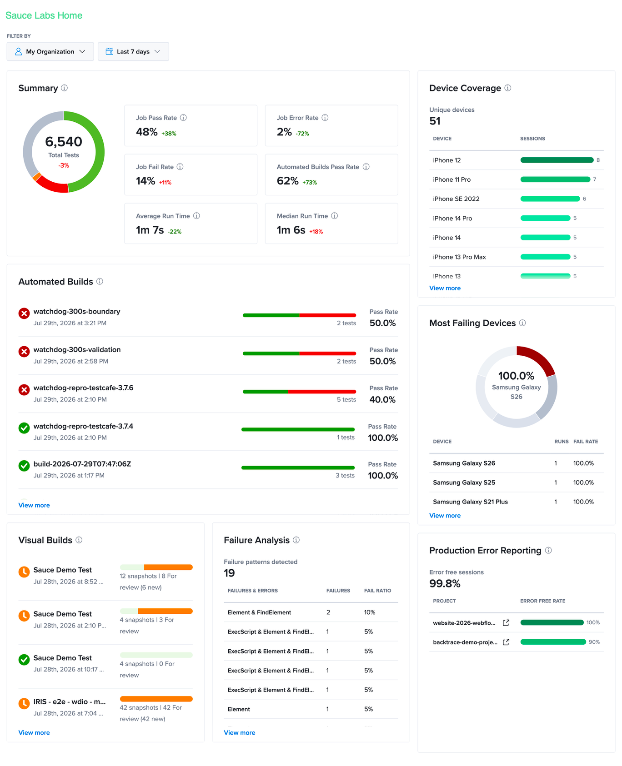
Export Widget Report
You can export the current Sauce Home dashboard as a PDF to share testing insights with team members, stakeholders, or management. The exported report includes the dashboard widgets and reflects the filters applied, allowing you to generate reports for a specific organization, team, user, or time period.
Export the dashboard to share testing results, review release quality, track testing progress, and maintain records outside of Sauce Labs.
Prerequisites
Before exporting the dashboard, configure the filters to display the data you want to include in the report. The exported PDF reflects the current dashboard view, including the selected organization, team, user, and date range.
Export the Dashboard
To export the Sauce Home dashboard:
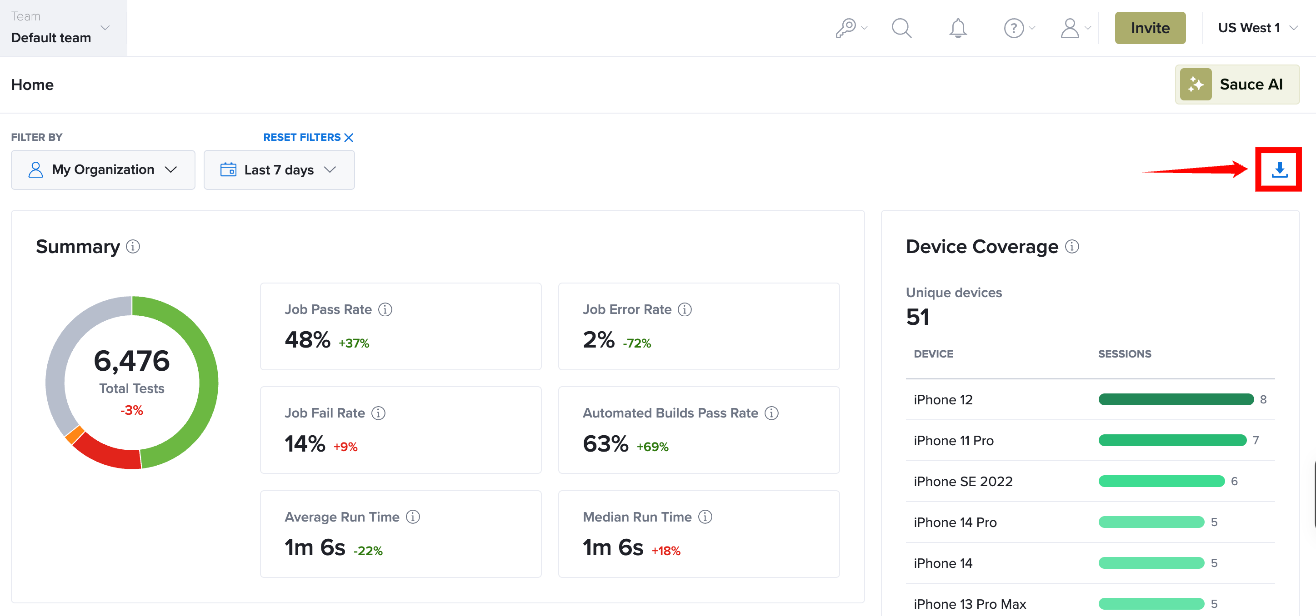
Step 1: On the Sauce Home dashboard, click the Download (⬇) icon in the upper-right corner of the page.
Step 2: Sauce Labs generates a PDF of the current dashboard view and downloads it to your local machine. The exported report contains the information displayed on the dashboard at the time of export.